A layout for the job
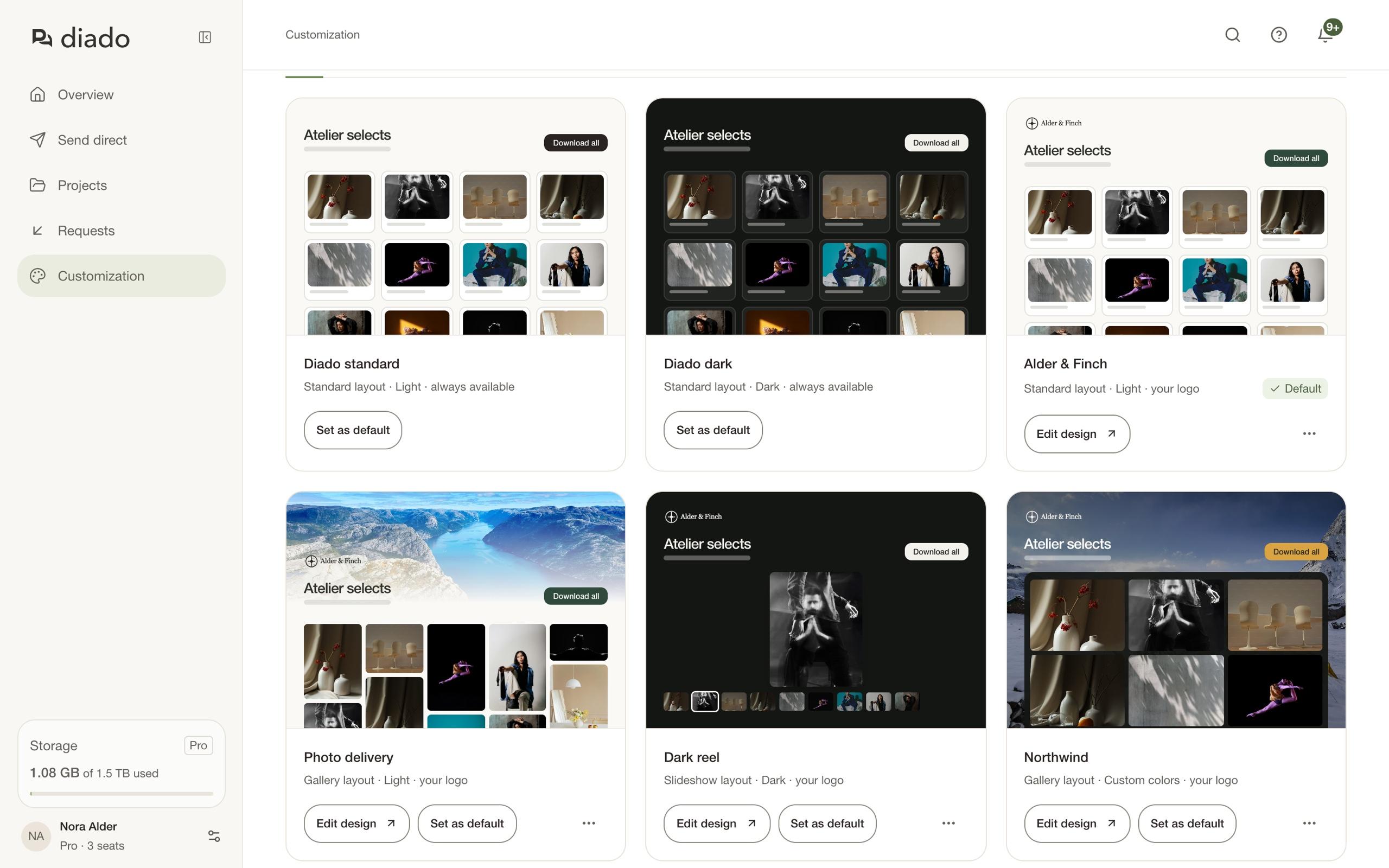
Keep things simple with Standard, spread images out in a Gallery, or put one file in focus with Slideshow.
Choose the layout and colors of your shared pages. Add your studio’s logo and photography with Pro.
A gallery for the selects. A dark screening page for the film. Pick a layout that suits what you’re sending, then make it your own.
Keep things simple with Standard, spread images out in a Gallery, or put one file in focus with Slideshow.
Choose a light or dark starting point. Set the background, text, and button colors to match your look.
On Pro, add a logo, a background image, or a gallery cover photo. Link the logo back to your website.
Save your designs as named templates. Set a default for everyday work, and choose a different one when a project calls for it.
Your team uses the same library, so a delivery still looks like your studio whoever sends it.
Choose a studio address on Pro, so your shared links start with your name. Add your logo to the emails your clients receive, too.
A familiar logo, right in their inbox.
View filesFree gives you one custom template, layouts, and colors. Pro adds unlimited templates, your logo and photos, email branding, and a studio address.
Free includes one template of your own, with layouts and colors. You can also use Diado standard and Diado dark; these built-in templates don’t count toward your limit. Pro adds unlimited templates, custom logos and photos, email branding, and your own Diado address.
Yes. Set one template as your default, then choose another for an individual send or shared project. Your team shares the account’s template library.
Standard, Gallery, and Slideshow. Gallery supports aligned or masonry tiles in different sizes. Slideshow puts one file in focus with a filmstrip underneath; with just one file, the filmstrip and arrows stay out of the way.
Yes, on Pro. Add an account logo in the Emails tab of Customization. It appears in emails to send recipients and project guests, including file deliveries, new versions, and comments. Emails to your own team keep Diado’s branding.
Pro lets you choose an available address such as yourstudio.diado.io for shared projects, sends, and file requests. Connecting a domain you already own, such as files.yourstudio.com, isn’t available yet.
No. Templates change the presentation. Downloads, comments, and other sharing settings are managed separately, so you can use the same look for a simple delivery or a project that needs feedback.