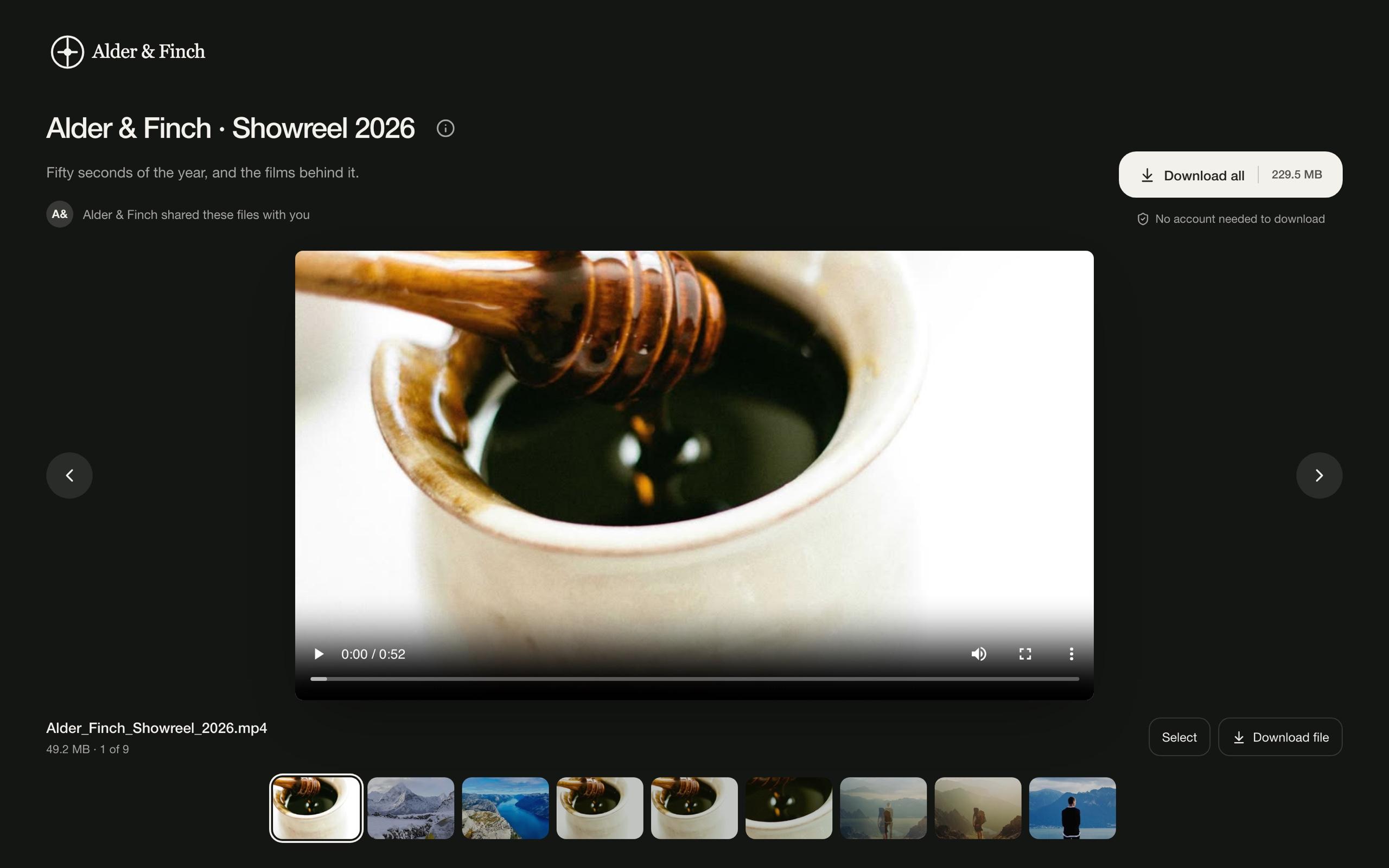
Choose Standard, Gallery, or Slideshow
Choose a file list, photo gallery, or large preview with a filmstrip.
Branding · 2 min read
Standard: browse files
Choose Standard for a file-browsing layout. Select a light or dark theme, then adjust the tile shape and colors.
Set download and comment permissions in the sharing settings. Choosing a layout does not change them.
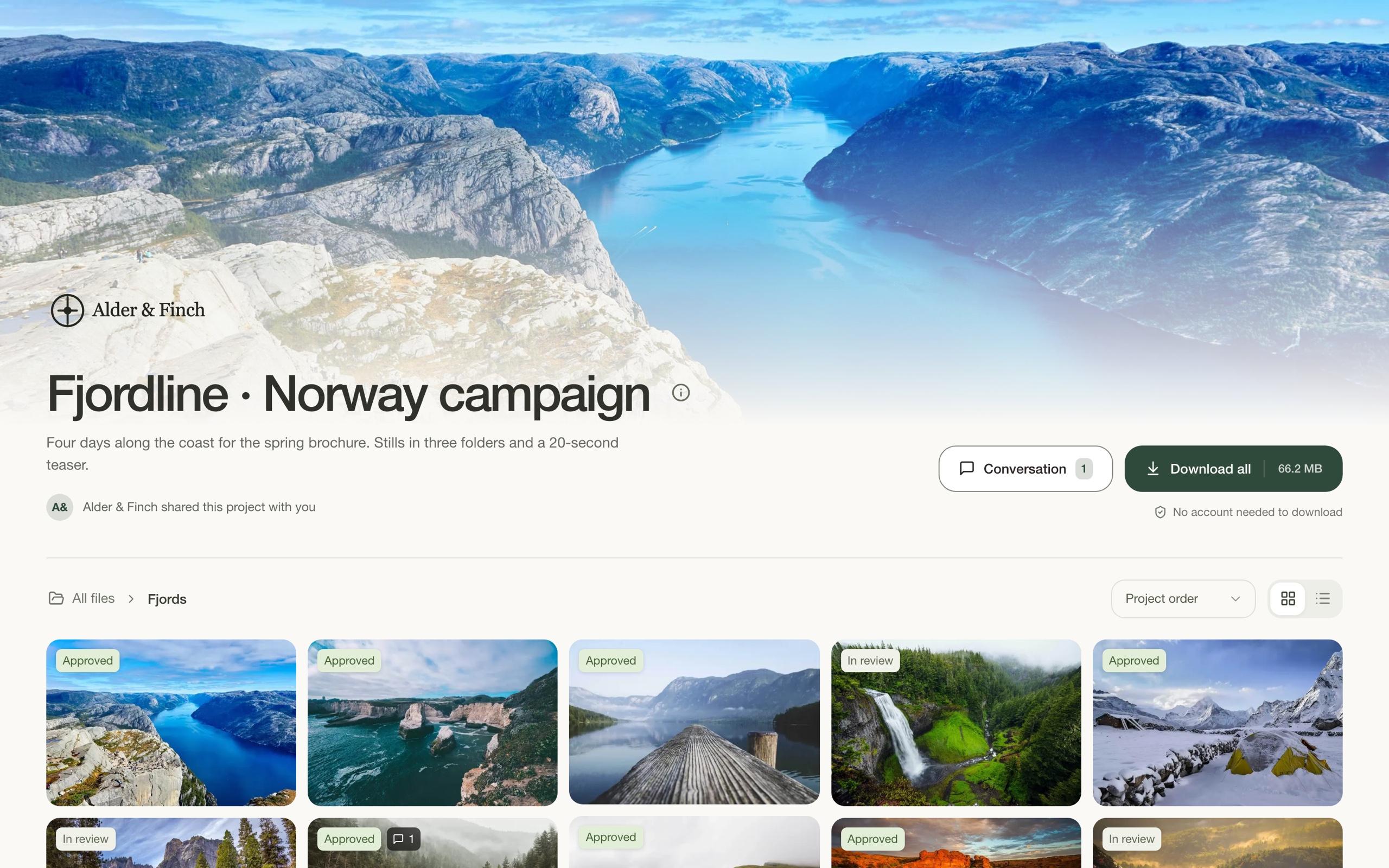
Gallery: browse photos
Choose Gallery for stills and other image-led work. Use aligned tiles for an even grid or masonry to preserve each image’s shape. Choose Small, Medium, or Large tiles.
On Pro, add a cover photo. A background photo takes precedence over the gallery cover.
Slideshow: preview one file at a time
Choose Slideshow for a large preview with a filmstrip for moving between files. Recipients can use arrows or swipes to browse.
For a single-file delivery, the filmstrip and navigation arrows are hidden.