Create your first project
Create a project, upload files, and choose whether clients can download or review them.
1. Create a project
Open Projects in the app’s sidebar and select New project. Give it a name that you and your client will recognize.
Use a project for work that needs a lasting shared page, folders, or multiple versions. For a quick delivery with an expiry date, use Send direct instead.
2. Add your files
Open the project and upload your files. Use folders to group related files, such as Footage and Final exports.
Wait for the uploads to finish before sharing the project link.
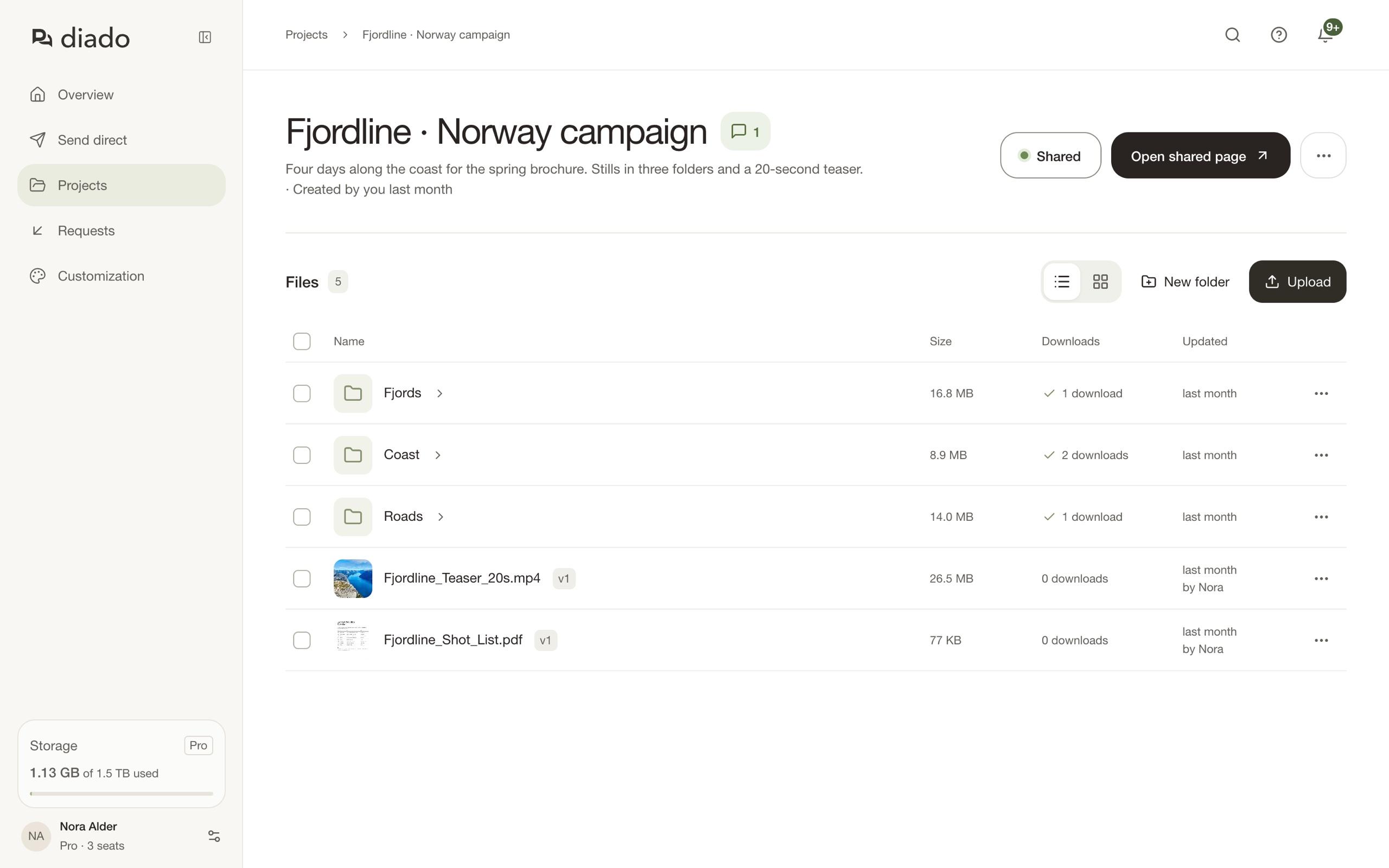
3. Choose how to share
Open the project’s sharing settings and select Create link. Keep Download files on if recipients should be able to take the originals.
Leave Comment and review off for a download-only page. Turn it on if you want feedback on the work.
4. Preview and send the link
Select Open shared page to check the page, then copy the Project link and send it to your client. Files you add to the project later appear on the same shared page.