Set or change a send’s expiry
Set how long recipients can download a send, or change the expiry of an existing link.
Choose an expiry date
In Delivery details, use Available for to choose how long the files can be downloaded. Direct sends can be available for up to 30 days.
If clients need a lasting page they can return to, use a shared project instead.
Change an existing send
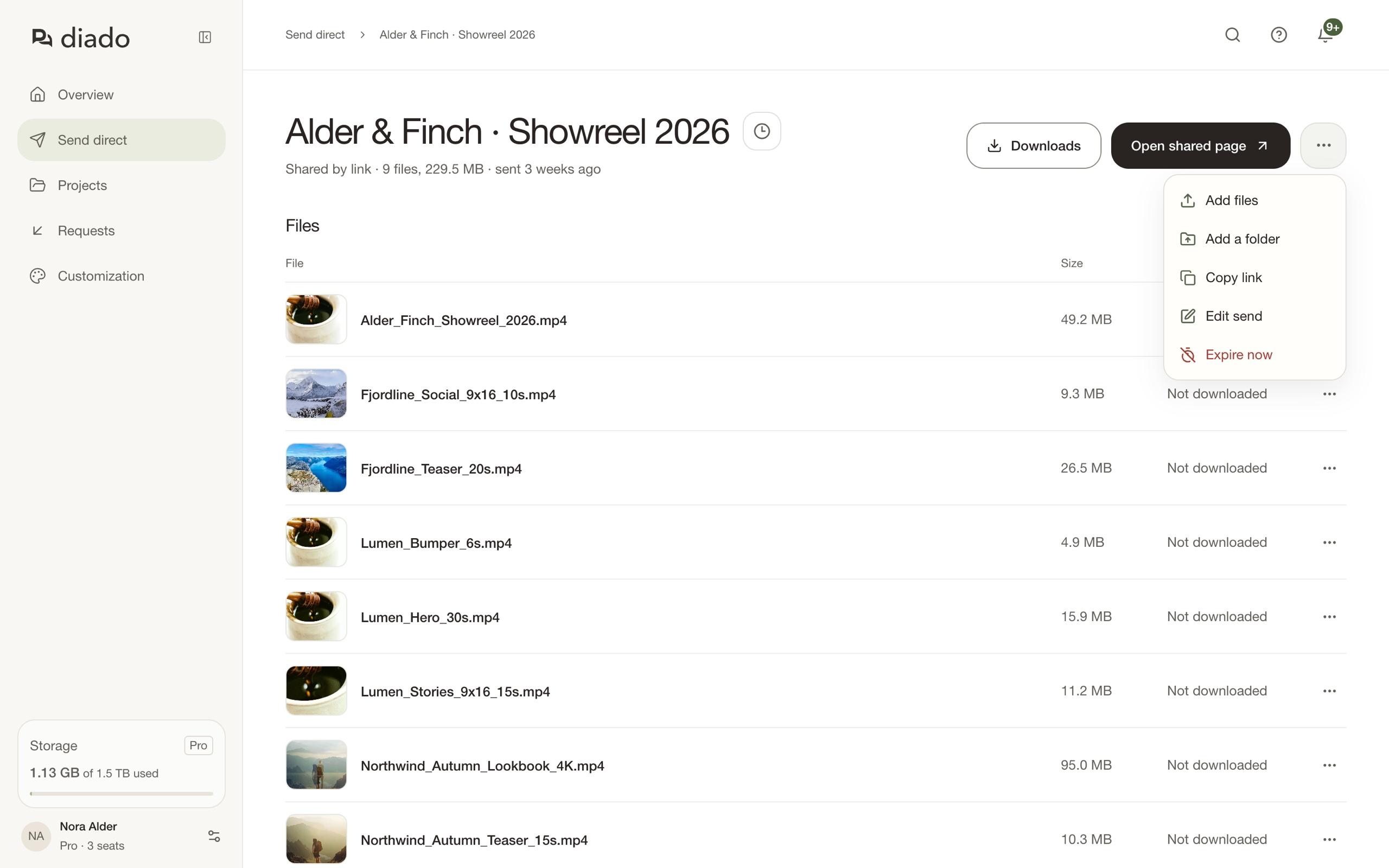
Open the send, open its menu, and select Edit send. Change Available for and save. The change applies to the existing link and all its recipients.
The new period counts from today, so check the expiry date shown before saving.
End a send early
Select Expire now in the send’s menu, or in its row menu on Send direct, and confirm. The link stops working right away, and recipients see the expired page. In a team account, any member can do this for a teammate’s send.
The send stays in your list as Expired and stops counting toward your storage. Its files are deleted 30 days later. You can’t undo this.
When the link expires
Recipients see an expired page instead of the files. Expired sends no longer count toward active storage, and their files are scheduled for cleanup.
Keep your own copy of the files. To share them after expiry, upload them in a new send.