Find your way around Diado
Find projects, deliveries, upload requests, and account settings.
Getting started · 2 min read
In this guide
Start on the OverviewFind sends, projects, and requestsOpen account settingsSearch and get helpStart on the Overview
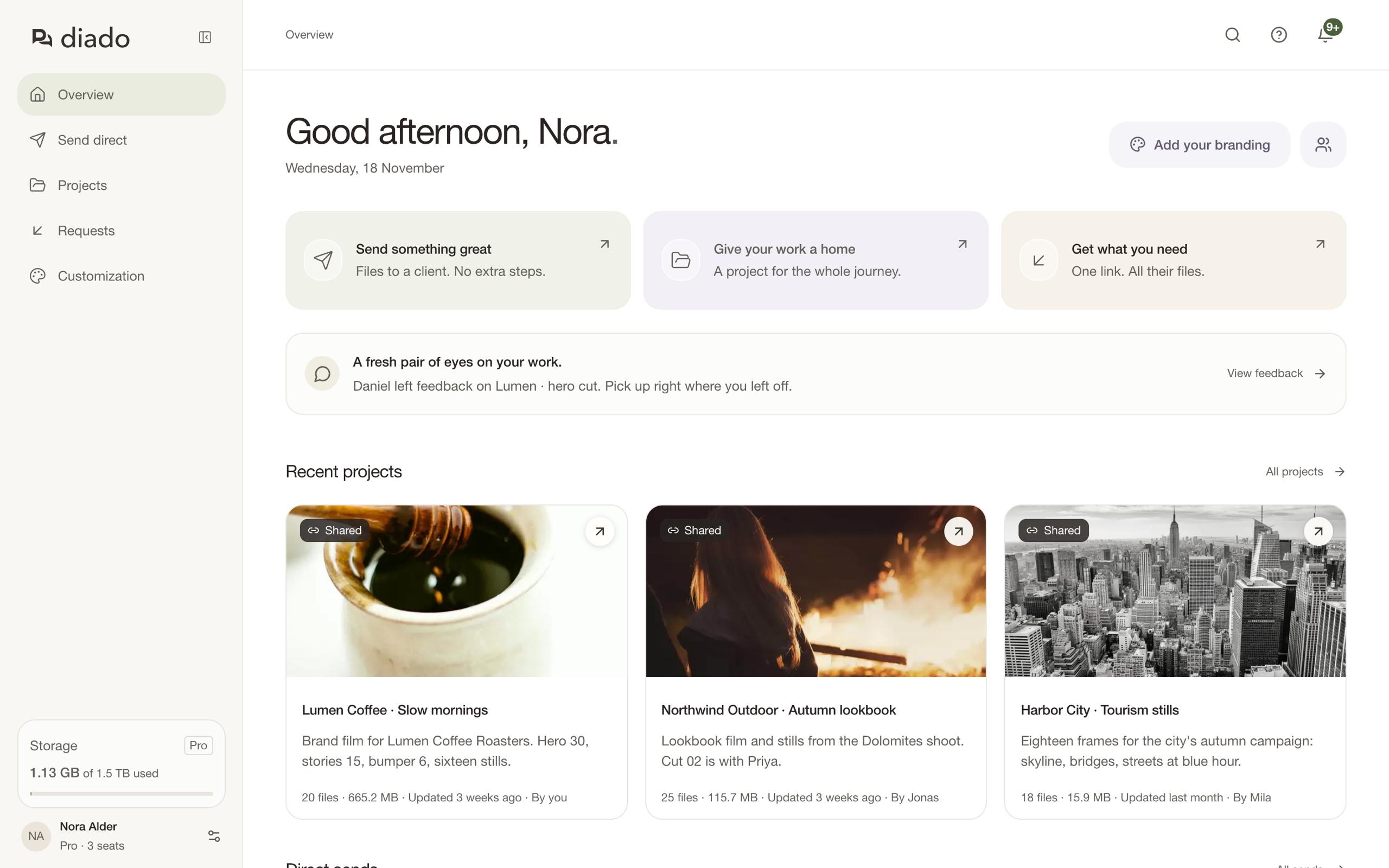
Open Overview to see recent projects, your latest direct sends, and your file requests. Use its shortcuts to send files, create a project, or request uploads. In a team account, select Team activity to see what teammates changed recently.
Search and get help
Use the search in the top bar to find a send, a project, a file or folder inside a project, or a request. Select a result to open it where it lives; a file result opens the file itself.
Select the question mark in the top bar to open the guide for the page you’re on. It opens in a new tab, so an upload in progress keeps running.